Audioalter Review 2026 — Features, Pricing, and Is It Worth Using?
Table of Contents
You need to pitch-shift a vocal clip or clean up a noisy voice memo, right now, without installing a full audio editor. Audioalter promises exactly that, free, in your browser.
The honest surprise researching this tool: most of what it does isn't actually AI. It's solid, traditional audio signal processing, effects that have existed in editing software for decades, just made accessible without a download. That's not a criticism, but it matters if you came here expecting AI-powered voice enhancement.
Here's what Audioalter actually offers, what it's genuinely good for, and where it falls short. No inflated claims. Just what the evidence shows.
What Is Audioalter?
Audioalter is a browser-based audio editing platform offering a collection of individual tools rather than one complex all-in-one editor. You upload a file, pick a tool, EQ, pitch shifter, reverb, trim, and download the result, without installing any software.
The platform has been operating since 2018, and domain trust checks show a mixed but generally reasonable picture: most scanning services rate it as safe with no phishing or malware indicators, while one automated risk-scoring tool flagged a lower trust score based on generic aggregated factors rather than any specific documented complaint or incident. We found no reports of billing problems, data misuse, or safety incidents tied to Audioalter specifically.
Is Audioalter Actually AI-Powered?
This is worth answering honestly, since Audioalter is often listed alongside AI tools, including on this site's own category page.
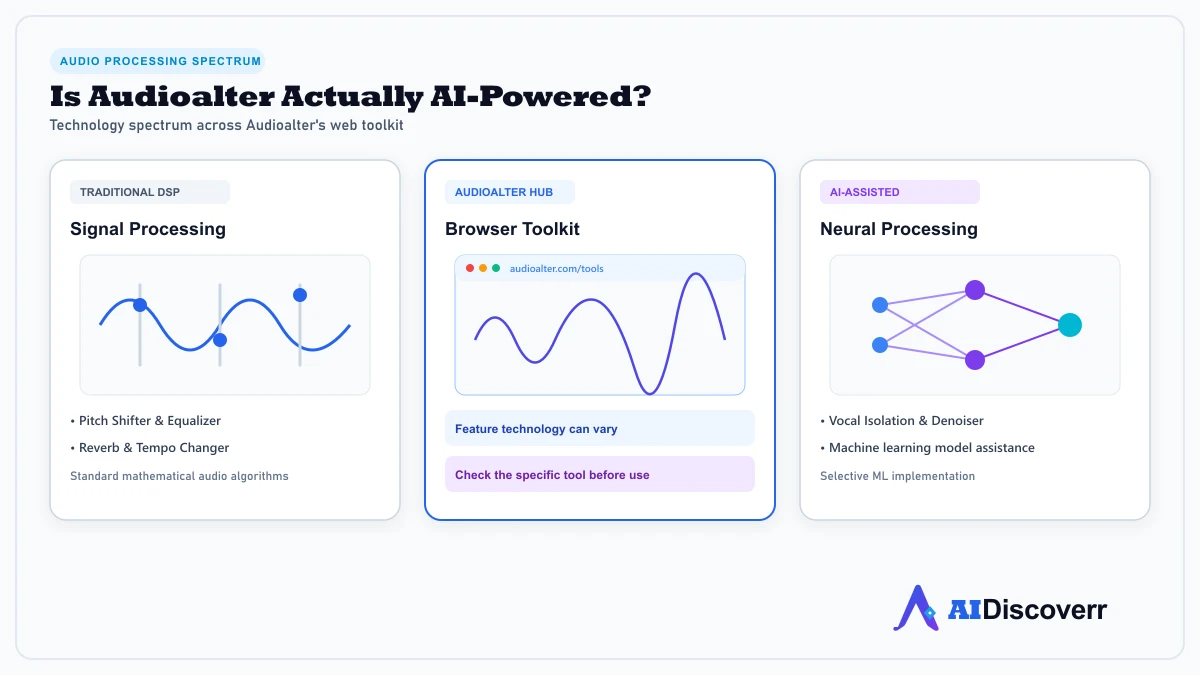
Most of Audioalter's core tools, the equalizer, pitch shifter, reverb, tempo changer, and bass boost, are traditional digital signal processing effects, the same technology found in audio software for decades, not AI models. Some newer features, like automated noise reduction, may use AI-assisted processing, though the platform doesn't clearly document which specific tools qualify as AI-powered versus traditional DSP.
What this means for you: if you're specifically looking for AI voice enhancement or AI-driven audio restoration, verify a given tool's actual method before relying on it, some competitors in this space are more explicitly AI-first.
Is Audioalter Free?
Yes, and the free tier covers the large majority of the platform's tools without cost. Basic pitch shifting, reverb, tempo changing, and equalization are available at no charge.
Some advanced processing options or larger file handling may involve minimal fees or route through third-party services, though Audioalter does not appear to operate a traditional tiered subscription model the way most tools on this site do.
Audioalter Features
Core Editing Tools
Trim, cut, merge, and split audio files directly in the browser, covering the basic editing tasks most users need without a full DAW.
Sound Effects
Equalizer, pitch shifter, reverb, tempo changer, bass boost, and stereo enhancer cover the majority of creative sound-shaping needs for podcasts, music, and content creation.
Vocal Removal
Strips vocals from a track to create a karaoke or instrumental version. Quality depends heavily on how the original track was mixed, and results vary noticeably between songs.
3D Audio and Specialty Presets
Includes spatial audio effects and preset combinations like 8D audio and slowed-and-reverb, popular formats for social media audio content.
What Are Audioalter's Real Limitations?
Independent reviews are consistent on this point: Audioalter is genuinely useful for quick, casual edits, and just as genuinely not a replacement for professional audio software.
A file size limit, commonly cited around 20MB, can be frustrating for longer recordings or high-quality music files. There's no offline or desktop mode, meaning you need a stable internet connection for every edit. And the audio processing, while functional, doesn't match the precision and signal integrity of a dedicated digital audio workstation for serious music production.
What File Formats Does Audioalter Support?
Audioalter supports common formats including MP3, WAV, OGG, and FLAC, covering the large majority of everyday audio files without needing a separate conversion step first.
Audioalter vs a Full Audio Editor
For quick, one-off tasks, trimming a podcast, removing vocals for fun, cleaning up a voice memo before sharing, Audioalter handles the job well and skips the friction of software installation and file conversions.
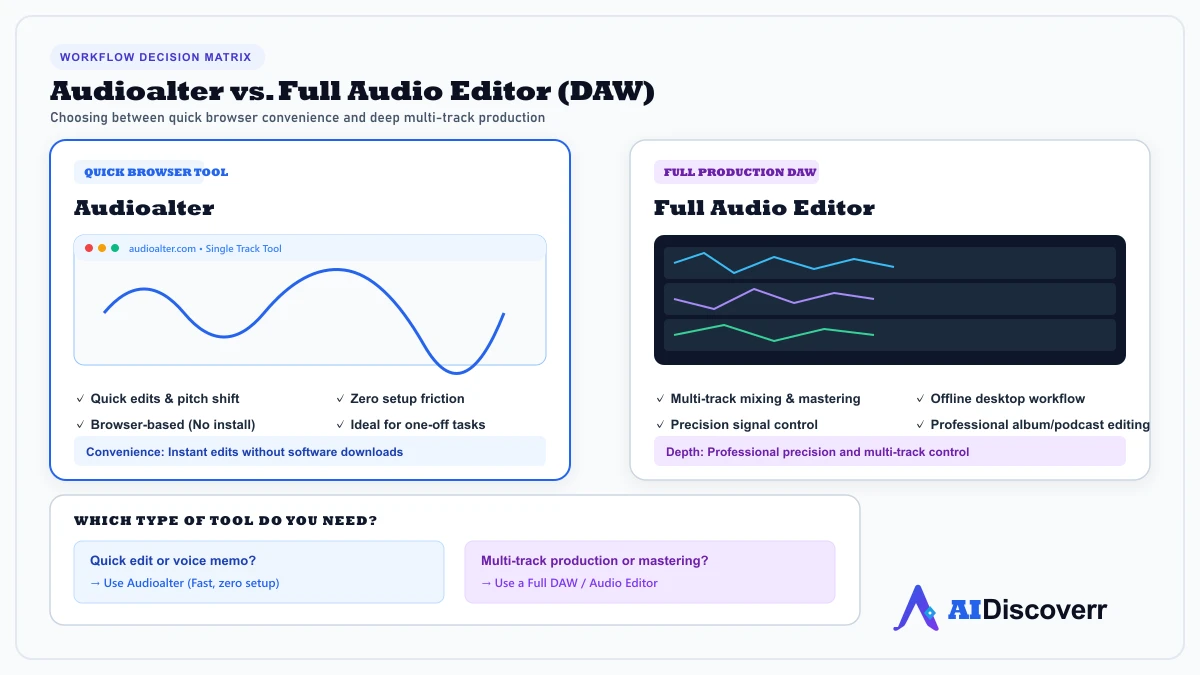
For serious music production, mixing, or mastering work, a dedicated digital audio workstation remains the better tool. Audioalter isn't trying to compete in that space, and treating it as a professional replacement will lead to frustration with the file size limits and processing precision.
Audioalter Pros and Cons
Where It Shines
Genuinely free for the large majority of its tools
No account or software installation required for basic use
Broad tool selection covering editing, effects, and vocal removal in one place
Works entirely in-browser, including on mobile devices
No documented safety or billing concerns found
Where It Falls Short
File size limit (commonly around 20MB) restricts use for longer or higher-quality files
Most tools are traditional audio processing, not AI-powered, despite appearing in AI tool listings
No offline or desktop mode
Not suitable for professional-level music production or mastering
Vocal removal quality varies significantly depending on the source track
Is Audioalter Worth It?
For quick, casual audio edits, pitch shifting a clip, cleaning up a recording, creating a karaoke track, Audioalter is a genuinely useful, free tool with no real downside.
For professional music production or serious audio restoration work, look toward dedicated software instead. Audioalter isn't positioned to compete there, and it doesn't claim to be once you look past a generic AI-tools listing.
Final Thoughts
Audioalter does exactly what it sets out to do: fast, free, browser-based audio edits without the friction of installing software. The tool selection is genuinely broad, and for casual use, it delivers real value.
The honest caveat is about framing, not function: most of what Audioalter offers is solid traditional audio processing rather than the AI-driven experience its placement among AI tools might suggest. That's not a flaw in the product, just something worth knowing before you go looking for AI-specific voice enhancement it may not fully deliver.
Our take: bookmark Audioalter for quick audio tasks and casual content creation. If you need professional-grade production quality or genuinely AI-driven voice restoration, it is worth comparing against dedicated tools built specifically for that purpose.
Frequently Asked Questions
Do I need to create an account to use Audioalter?
No. Audioalter's core tools are accessible without creating an account or providing any personal information.
Is there a mobile app for Audioalter?
No dedicated mobile app exists, but Audioalter works through any mobile browser since it's entirely web-based.
What's the maximum file size Audioalter supports?
Commonly cited around 20MB, though this can vary by specific tool. Larger files may need to be split or compressed before uploading.
Can I use Audioalter for commercial projects?
Audioalter processes files you upload but doesn't claim ownership of your content. Check the platform's current terms of service for any specific commercial use restrictions before using output in client work.
Does Audioalter store my uploaded audio files?
Specific data retention practices aren't clearly documented publicly. If privacy is a concern, avoid uploading sensitive or confidential audio content, and consider testing with non-sensitive files first.
Is Audioalter better than a full DAW like Audacity?
Not for serious production work, no. Audioalter's advantage is speed and zero-install convenience for quick tasks, not the precision or feature depth of a full digital audio workstation.
Does Audioalter work on all browsers?
Audioalter is designed to work across modern browsers, though for the smoothest experience, an updated version of Chrome, Firefox, or Safari is recommended.
Editorial review. Not affiliated with Audioalter. Features and prices change — confirm details on audioalter.com before you subscribe.
Lead AI Tech Analyst & Editorial Director